Case study · Real estate brokerage · Guam

From paper approval forms to the app the whole office runs on.

Ellen's Realty is a Guam brokerage where our founder is managing partner. He built this platform for the office he helps run, which makes it the most honest example we can show of what a custom system looks like when the people who use it every day also built it.

Who uses it

Agents, admins, the broker, an accountant, and outside agents requesting keys

Replaced

Emailed PDFs, paper sign-offs, spreadsheets, and a shared inbox

Runs

Transactions, approvals, documents, commissions, keys and lockboxes, MLS listings, a lockbox code portal for other realtors, nightly Yardi reports

Since

2025, growing with the office

The situation

Every deal moved by email, and nobody could see where it stood.

When an agent closed a rental or a sale, the paperwork went to the office as attachments. Someone checked it, someone else approved the commission split, corrections went back and forth in the same thread, and the final answer lived in whoever's inbox had the last message. Keys for listings were tracked by hand. Commission totals were rebuilt in a spreadsheet at the end of the month.

None of it was broken, exactly. It just needed a person in the loop for every step, and every new agent added more loops.

What we built

One system, five jobs

It started as a digital version of the approval forms. Each year it absorbed the next manual process, until the office ran on it.

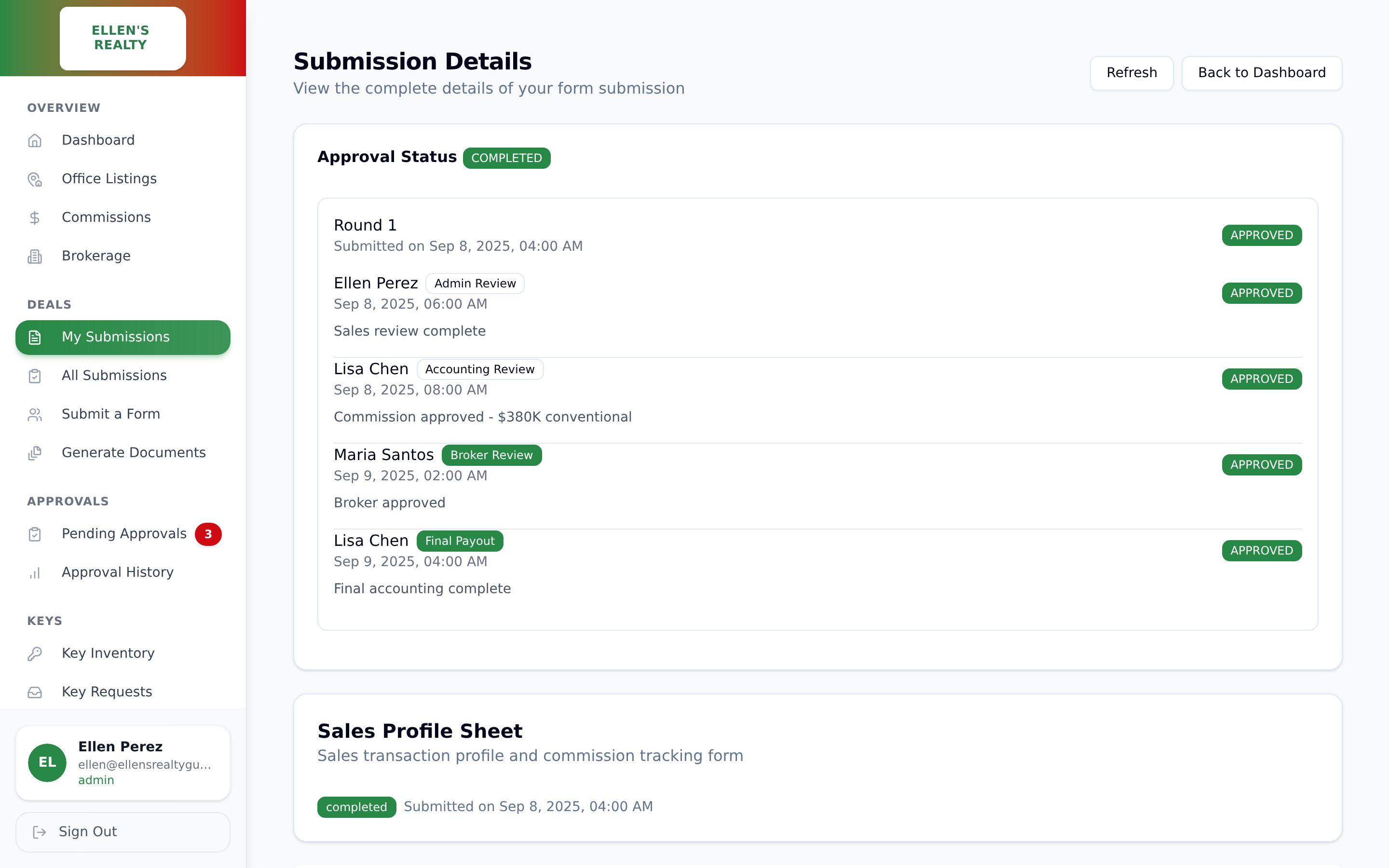
A submitted transaction with its approval chain and status

Approvals that route themselves

An agent submits a deal once. It goes to the right approvers in the right order, each one can approve or send it back with a comment, and the agent sees the status without asking. The order of approvals is enforced by the system, so nothing can be approved out of turn or twice.

Document upload with required document tags

Documents that check themselves

Every upload is tagged with what it is: lease, application, receipt, inspection report. The form knows which documents a deal needs and will not submit until they are all there. Files land in the brokerage's own cloud storage, organized by transaction.

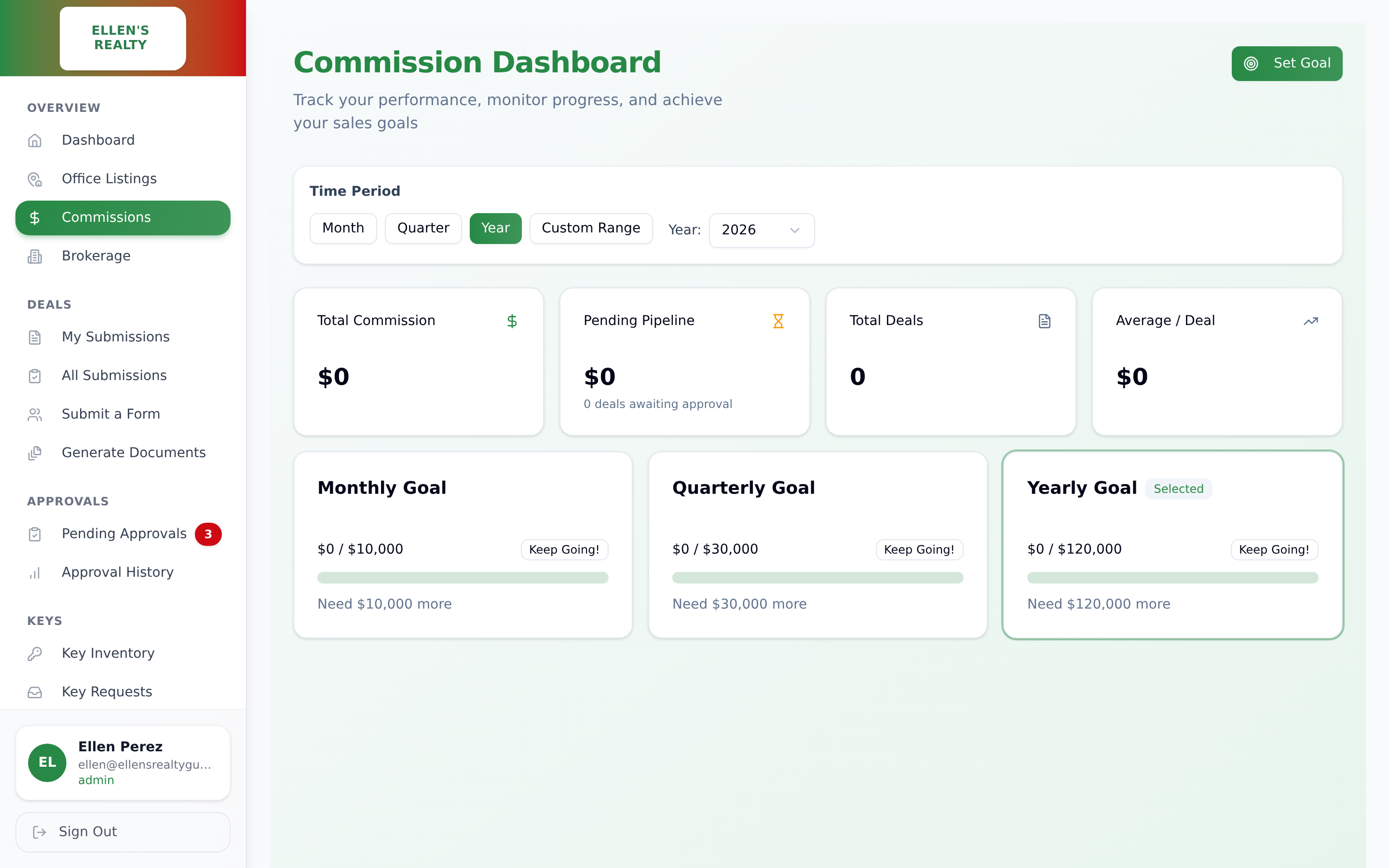
Commission dashboard with brokerage and agent splits

Commissions that add up

Splits are entered once and must balance before a deal can be approved. The broker and accountant see totals by month and by agent, and agents see their own. No month-end spreadsheet.

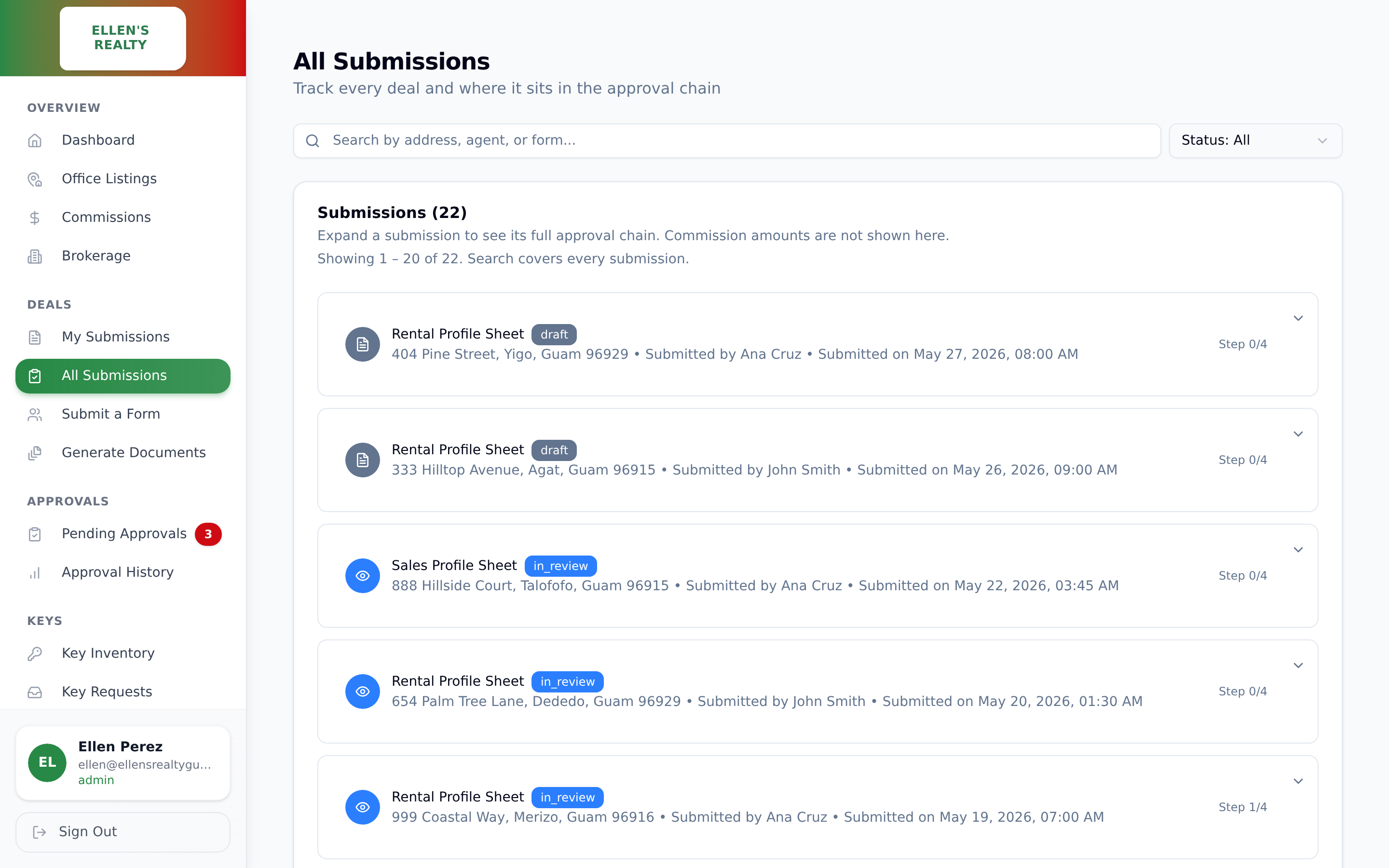
Every submitted deal with its status and approval step

Every deal, and where it sits

Search any address, agent, or form and see which step it is on. Commission amounts stay hidden here, because not everyone who tracks deals should see payouts. Keys and lockboxes for every listing are tracked the same way, with a record of who has what.

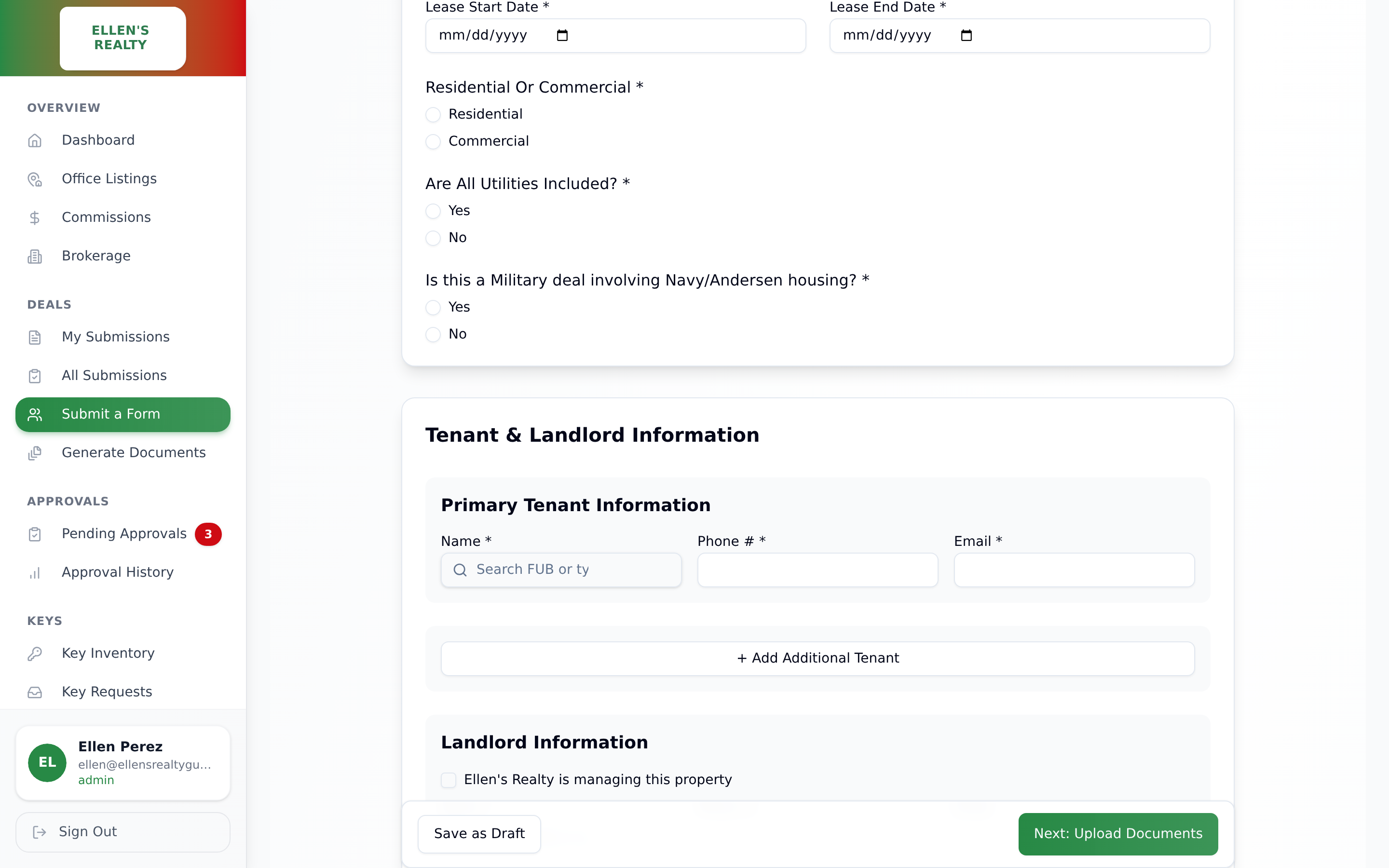
The rental profile form with tenant and landlord sections

Forms that know the business

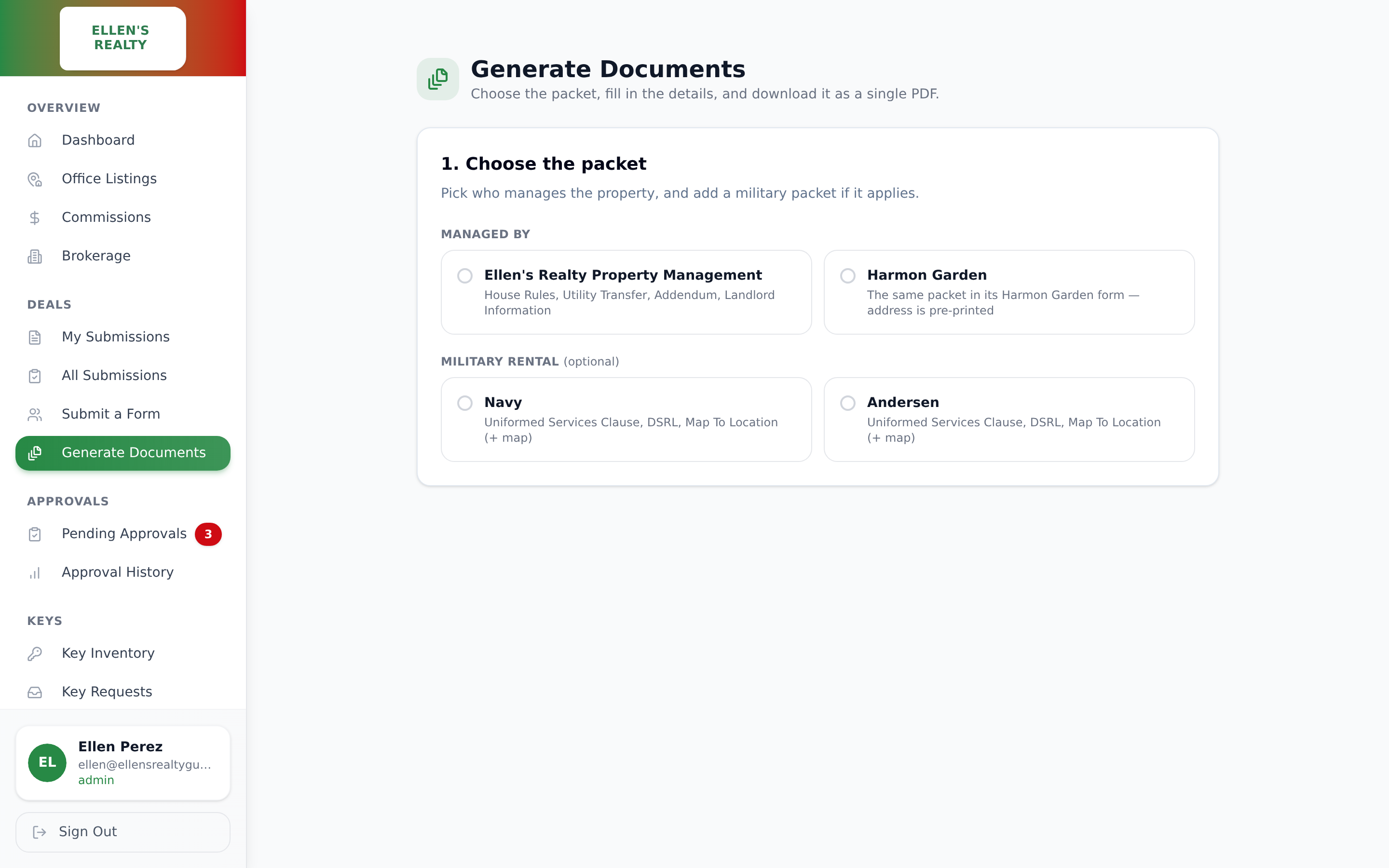
The forms ask what a Guam brokerage actually needs to know, down to whether a deal involves Navy or Andersen housing. Tenant and client names are looked up from the CRM instead of retyped, and the office's MLS listings sync in on their own.

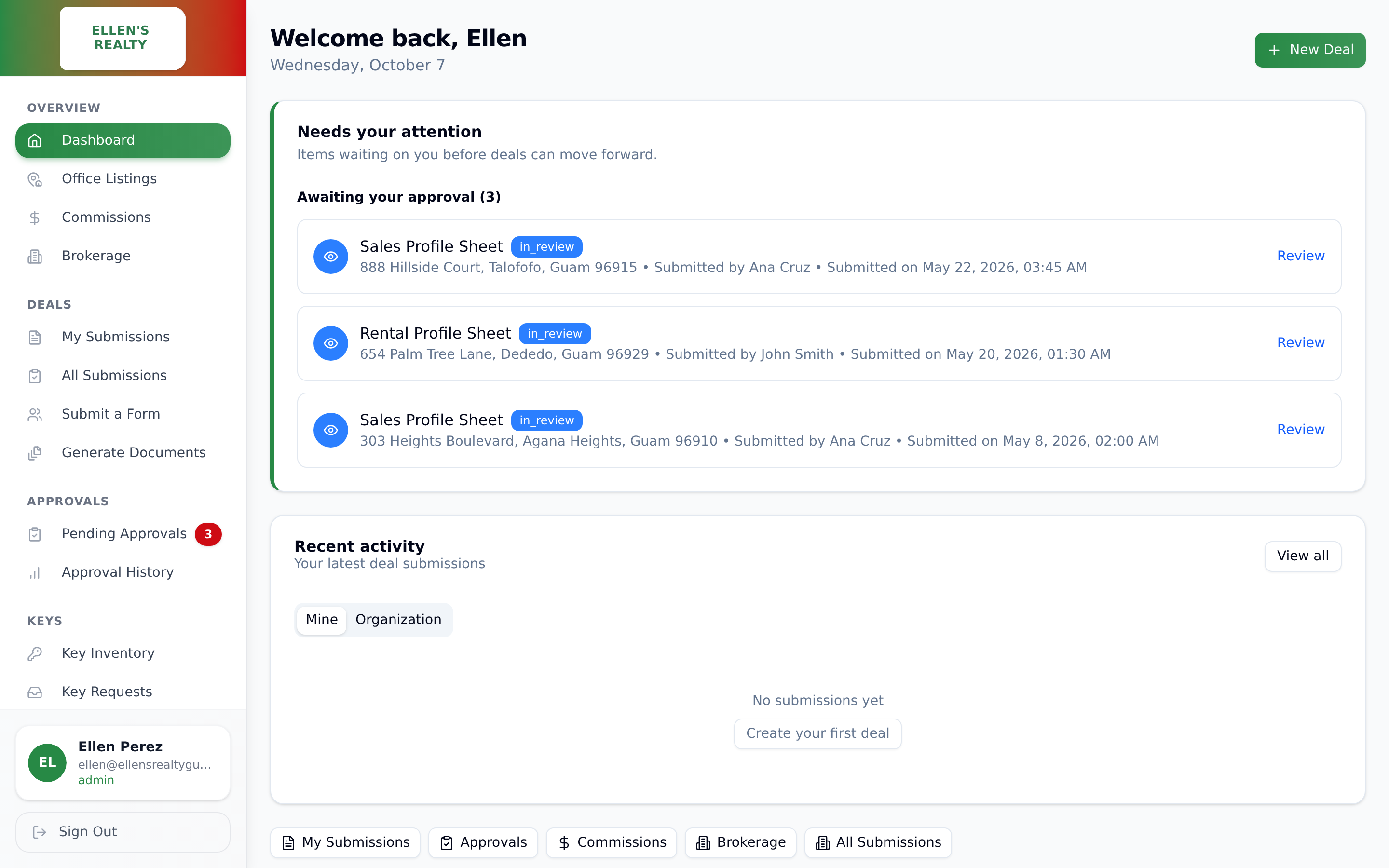
The office dashboard

One screen for "where does this stand?"

Each person opens to what needs their attention: approvals waiting on them, deals in progress, keys out. The question that used to be an email is now a glance.

Beyond the office

Two jobs that used to interrupt someone's day.

Public portal · Other realtors Lockbox codes without a phone call

Every showing used to start with a realtor from another office calling for the lockbox code, and someone at Ellen's stopping to look it up and vouch for the caller. Now the realtor opens a public page, picks themselves from the MLS roster, chooses a showing time, and submits.

If they match MLS records, the code goes straight to the email address the MLS has on file for them. Nobody types an email the system has to trust. If they do not match, the request goes to staff to review during office hours, and the page says the same thing either way so it cannot be used to probe who is in the MLS.

Codes reach licensed agents in minutes. Staff only see the exceptions.
Automation · Property management Yardi, read every night

The brokerage manages rentals in Yardi Breeze, which has no way for other software to ask it questions. So every night a worker logs in the way a person would, handles the login code itself, reads the tenant listing, unpaid charges, and late fee reports off the screen, and files them in the office app as a read-only snapshot.

From that snapshot the app can flag lease expirations and overdue balances for the property management team. The rule that makes it safe: if the snapshot is more than 36 hours old, no reminder goes out and a person is emailed instead. A broken script produces one message to the technology lead, never a wrong notice to a tenant.

Three reports nobody has to pull by hand, with a guard rail instead of a hope.
Security first

It holds payout figures and the keys to people's homes. We built it that way.

Every system we build starts from the question of who is allowed to see and change what. For a brokerage, the answer protects commissions, client paperwork, and physical access to listings.

Only your people can log in

Accounts are limited to the company's own email addresses plus a short approved list. There is no open sign-up.

Rules live in the database, not just the screen

Each role sees and edits only what it should, and the rule is enforced where the data lives. An agent cannot read another agent's commissions even by going around the app.

Decisions cannot be tampered with

Approvals are recorded in order, locked at the moment of decision, and cannot be repeated or altered after the fact.

Keys are treated like passwords

Lockbox codes and key photos are restricted to managers and never exposed to the wider office.

Reviewed in writing

The platform went through a full written security review in 2026, and access rules were tightened as a result. We review our own work the way an outside auditor would.

Your data stays yours

Documents live in the brokerage's own storage account, and the brokerage owns the system, the accounts, and the data.

The result

The office runs on one system instead of email threads and paper.

Agents submit from anywhere, approvers act from their phone, the accountant sees commissions without asking, and keys stop going missing. Each new agent joins a process instead of adding to one.

Start here

Tell us about the process that runs on email today.

You get a reply within one business day with either a few questions or a time to talk.

Prefer email?
[email protected]